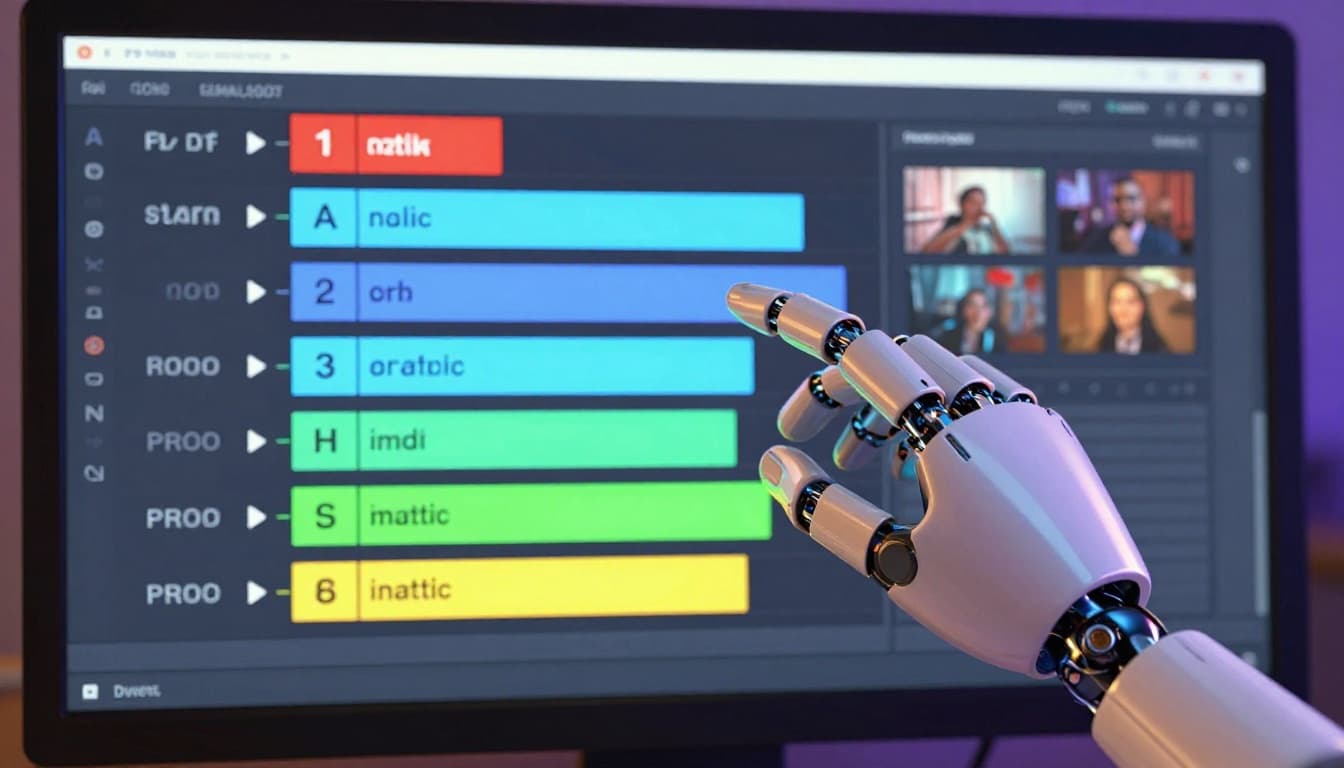
How AI Is Rewriting the Rules of Video Editing: Auto-Cuts, Smart Captions, and One-Click Reels
Video editing used to be a craft that required years of training, expensive software, and hours of painstaking frame-by-frame work. Color correction, audio mixing, jump cut timing, B-roll selection, captioning, aspect ratio adaptation — every element demanded human attention, human skill, and above all, human time. A ten-minute YouTube video could easily require ten to twenty hours of editing. A polished sixty-second Reel might take an experienced editor three to four hours. For solo creators and small teams, editing was often the single biggest bottleneck in the content production pipeline — the stage where creative momentum went to die under the weight of technical tedium. In 2026, artificial intelligence has fundamentally changed this equation. A new generation of AI-powered editing tools can automatically remove silences, generate captions with word-level accuracy, identify the most engaging moments in long-form footage, reformat content for different platforms, generate B-roll from text prompts, correct colors intelligently, and produce complete short-form videos from long recordings with minimal human input. The transformation is not coming — it has already arrived, and it is accelerating. Professional editors are using AI to work faster and produce more ambitious projects. Amateur creators are using AI to achieve results that were previously beyond their technical ability. And the overall volume of high-quality video content on the internet is exploding as a direct result. Understanding these tools and integrating them into your workflow is no longer a competitive advantage — it is a competitive necessity.
The Old Way Versus the New Way of Video Editing
To appreciate how dramatically AI has changed video editing, consider the traditional workflow for a typical YouTube video. The creator records raw footage, imports it into editing software, reviews every minute of footage to identify usable sections, manually cuts out mistakes, pauses, and dead air, arranges the remaining clips in a coherent sequence, adds transitions between cuts, records or selects background music, adjusts audio levels throughout, color corrects each clip for consistency, designs and inserts text overlays and lower thirds, adds B-roll footage to cover visual gaps, exports in the correct format and resolution, and then repeats a significant portion of this process to create short-form clips for Instagram, TikTok, and YouTube Shorts. Each of these steps requires technical knowledge and careful attention. Now consider the AI-assisted workflow. The creator records raw footage, imports it into an AI-powered editor, and the software automatically transcribes the audio, identifies and removes silences and filler words, suggests optimal cut points based on speech patterns and engagement signals, generates animated captions, recommends B-roll from its library or generates it from text prompts, applies intelligent color correction, and can produce multiple short-form clips from the long-form footage with a single command. The human creator still makes the final creative decisions — approving or modifying the AI's suggestions — but the tedious, time-consuming technical work has been compressed from hours into minutes. This is not a marginal improvement. It is a fundamental restructuring of the creative process.
CapCut AI: The Creator's Best Friend
CapCut, developed by ByteDance — the company behind TikTok — has evolved from a simple mobile video editor into one of the most powerful AI-assisted editing platforms available, and it remains free for most features. The platform's AI capabilities are extensive and continue to expand rapidly. Auto-captions generate accurate, stylized captions that can be customized with fonts, colors, animations, and effects — a feature that alone saves hours per video and has become essential for social media content where a majority of viewers watch without sound. The auto-reframe feature intelligently adjusts video composition for different aspect ratios, keeping the most important visual elements centered regardless of whether the output is horizontal for YouTube, vertical for TikTok and Reels, or square for feed posts. CapCut's AI voice features include text-to-speech with remarkably natural-sounding voices in multiple languages and voice effects that can transform the creator's voice. The background removal tool uses AI to isolate subjects from backgrounds in real time, enabling green-screen-style effects without any physical setup. Script-to-video functionality allows creators to input a text script and have CapCut generate a complete video with stock footage, transitions, captions, and voiceover — a feature that is particularly useful for faceless content channels. For creators looking for a comprehensive AI editing solution at no cost, CapCut is difficult to beat, and its deep integration with TikTok makes publishing optimized content to that platform seamless.
Descript: Editing Video Like a Document
Descript took a radically different approach to video editing by building the entire experience around a text transcript. When you import a video into Descript, the AI transcribes the audio and displays it as an editable text document. To edit the video, you edit the text — deleting a sentence from the transcript removes the corresponding video and audio, rearranging paragraphs rearranges the video timeline, and inserting text generates new audio using AI voice cloning. This paradigm shift makes video editing accessible to anyone who can edit a text document, regardless of their experience with traditional timeline-based editing software. Descript's AI features extend well beyond transcription. The filler word removal tool automatically detects and removes "ums," "ahs," "you knows," and other verbal tics with a single click. The silence removal feature eliminates awkward pauses and dead air, tightening the pacing of the video without manual cutting. Studio Sound uses AI to enhance audio quality, removing background noise, echo, and recording artifacts to produce audio that sounds like it was recorded in a professional studio. Green screen and background replacement features work in real time without physical green screens. And the AI eye contact feature adjusts the speaker's eye line so they appear to be looking directly at the camera even when reading from a script — a subtle but powerful enhancement for talking-head content. Descript is particularly popular among podcasters, educators, and professional communicators who prioritize clarity and precision in their spoken content.
Opus Clip: Long-Form to Short-Form in One Click
Opus Clip addresses one of the most time-consuming challenges facing modern content creators: repurposing long-form video into short-form clips for platforms like TikTok, Instagram Reels, and YouTube Shorts. Traditionally, this process required watching the full video, identifying compelling segments, cutting them out, reformatting them for vertical video, adding captions, and ensuring each clip works as a standalone piece of content. For a creator who publishes weekly long-form videos, this repurposing work could consume as much time as creating the original content. Opus Clip uses AI to automate the entire process. Upload a long-form video — a podcast episode, a YouTube video, a webinar recording, a live stream — and the AI analyzes the content, identifies the most engaging moments based on speech patterns, emotional intensity, topic completeness, and virality potential, and generates multiple short-form clips complete with captions, reformatted for vertical video, and scored with a virality rating that helps creators prioritize which clips to publish. The AI's ability to identify compelling moments is surprisingly good — it picks up on emotional peaks, strong statements, humor, and complete thought segments that work effectively as standalone clips. Opus Clip has become an essential tool for creators who produce long-form content and want to maintain a consistent presence on short-form platforms without the manual labor of repurposing. The time savings are dramatic — what used to take hours now takes minutes, and the AI's selections are often as good as or better than what a human editor would choose.
Adobe Premiere Pro AI Features
Adobe Premiere Pro, the industry-standard professional video editing software, has integrated AI extensively through its Adobe Sensei AI engine. Unlike some of the newer, AI-first tools, Premiere Pro layers AI assistance on top of a full-featured professional editing environment, which makes it particularly powerful for experienced editors who want AI to accelerate their existing workflows without replacing their creative control. The Auto Tone feature analyzes footage and applies intelligent color correction that considers the content, lighting conditions, and stylistic context of each clip. Text-Based Editing — a feature clearly inspired by Descript's approach — generates a transcript of the video's audio and allows editors to make cuts and rearrangements by editing the text. Scene detection automatically identifies shot changes and creates cut points at each transition, saving significant time when working with multi-camera or mixed-source footage. The Enhance Speech feature uses AI to improve dialogue clarity and reduce background noise without the manual audio engineering that this task traditionally requires. Auto Reframe intelligently adapts horizontal video to vertical or square formats, tracking the most important visual elements across the frame. Generative Extend uses AI to add additional frames to the beginning or end of a clip, providing extra editing room when footage is too tightly cut. For professional editors and advanced creators who need the full power of a professional editing suite but want AI to handle the routine technical tasks, Adobe Premiere Pro offers the best combination of AI assistance and professional capabilities.
Runway: AI-Native Video Creation
Runway occupies a unique position in the AI video landscape as a platform built from the ground up around generative AI capabilities. While other tools add AI features to traditional editing paradigms, Runway reimagines what video creation can be when AI is the foundational technology. The platform's Gen-2 and subsequent models can generate video clips from text descriptions, transform existing video footage into different visual styles, extend videos with AI-generated frames, remove or replace objects within video footage, and generate entirely new visual content that blends seamlessly with existing footage. For content creators, Runway's most immediately practical features include its background removal and replacement tools, which work on video in real time with impressive accuracy. The text-to-video generation, while still evolving in quality, enables creators to produce custom B-roll footage that would otherwise require stock footage purchases or additional filming. The style transfer feature can transform ordinary footage into artistic interpretations — making a street scene look like an oil painting, a watercolor, or a retro film — creating visual variety without additional production work. Runway is particularly valuable for creators who need custom visual assets that do not exist in stock footage libraries, or who want to experiment with visual styles that would be impossible to achieve through traditional filming and editing techniques.
Comparison of AI Video Editing Tools
Choosing the right AI video editing tool depends on your content type, skill level, budget, and specific needs. The following table compares the major AI video editing tools across key dimensions that matter most to content creators.
| Tool | Best For | AI Highlights | Price Range | Skill Level |
|---|---|---|---|---|
| CapCut | Social media creators | Auto-captions, auto-reframe, script-to-video | Free / Pro plans | Beginner |
| Descript | Podcasters, educators | Text-based editing, filler word removal, AI voice | $24-33/month | Beginner-Intermediate |
| Opus Clip | Repurposing long-form | Auto-clip generation, virality scoring | Free / $19-49/month | Beginner |
| Adobe Premiere Pro | Professional editors | Auto Tone, text-based editing, Generative Extend | $22.99/month | Advanced |
| Runway | Creative experimenters | Text-to-video, style transfer, generative fill | $12-76/month | Intermediate |
| DaVinci Resolve | Color grading, pro editing | AI color matching, face refinement, voice isolation | Free / $295 one-time | Advanced |
| Filmora | Casual creators | AI portrait, smart cutout, audio denoise | $49.99/year | Beginner |
Each tool has strengths that make it ideal for specific workflows, and many creators use multiple tools in combination — Opus Clip for repurposing, Descript for podcast editing, CapCut for social media content, and Premiere Pro for premium long-form projects.
How AI Democratizes Video Editing
The most profound impact of AI video editing tools is not the time they save for experienced editors — it is the doors they open for people who could never have produced quality video content before. Prior to AI-assisted editing, there was a significant skill barrier that prevented millions of potential creators from entering the video content space. Learning traditional video editing software required investing dozens or hundreds of hours in tutorials and practice before being able to produce results that met even basic quality standards. Color correction, audio engineering, motion graphics, and compositing were specialized skills that each required their own learning curve. AI tools have collapsed these barriers almost entirely. A person with no video editing experience can now import raw footage into Descript, have the AI remove silences and filler words, add professional captions, enhance the audio quality, and export a polished video in under thirty minutes — their first time using the software. A small business owner who needs video content for social media but cannot afford a videographer can use CapCut's script-to-video feature to create professional-looking content from a text script. A non-English-speaking creator can use AI translation and dubbing tools to reach audiences in languages they do not speak. This democratization is expanding the creator economy in every direction — more creators producing more content for more audiences in more languages than was possible even two years ago.
Smart Captions: The Feature That Changed Everything
If there is one AI video editing feature that has had more impact on social media content than any other, it is smart captions — AI-generated, animated, word-by-word subtitles that have become ubiquitous across TikTok, Instagram Reels, and YouTube Shorts. The rise of smart captions reflects a fundamental shift in how people consume video: a majority of social media video is watched without sound, and even viewers who have sound enabled engage more deeply with captioned content because the combination of audio and text reinforces comprehension and attention. Before AI, adding captions to a video was a tedious manual process — transcribing the audio, timing each caption to the corresponding audio, formatting the text, and styling it to be visually appealing. For a three-minute video, this process could take an hour or more. AI auto-captioning reduced this to seconds. The accuracy of modern auto-captioning systems exceeds ninety-five percent for clear English speech, and the styling options available in tools like CapCut allow creators to produce captions that are not just functional but visually dynamic — with word-by-word highlighting, bounce animations, color coding, and emoji integration that make the captions themselves a visual feature of the content. The impact on engagement metrics has been well documented: captioned videos consistently outperform uncaptioned videos in completion rate, shares, and overall engagement, making smart captions one of the highest-ROI AI features available to content creators.
Conclusion
The AI revolution in video editing is not a future possibility — it is the present reality, and it is reshaping the content landscape at a pace that demands attention from every creator who produces video. Tools like CapCut, Descript, Opus Clip, Adobe Premiere Pro, and Runway have automated the most time-consuming and technically demanding aspects of video production, making professional-quality editing accessible to anyone with a computer or smartphone and a story to tell. Auto-captions, silence removal, smart cuts, AI B-roll, and one-click repurposing are not luxury features for well-funded production studios — they are standard capabilities available to solo creators with modest budgets. The creators who embrace these tools will produce more content, produce it faster, produce it at higher quality, and free up creative bandwidth to focus on the strategic and storytelling aspects of content creation that AI cannot replace. The creators who resist or ignore these tools will find themselves increasingly outpaced by competitors who are producing comparable quality content in a fraction of the time. The rules of video editing have been rewritten by artificial intelligence. The question for every content creator is not whether to adopt these tools but how quickly you can integrate them into your workflow and begin capturing the creative and competitive advantages they offer.